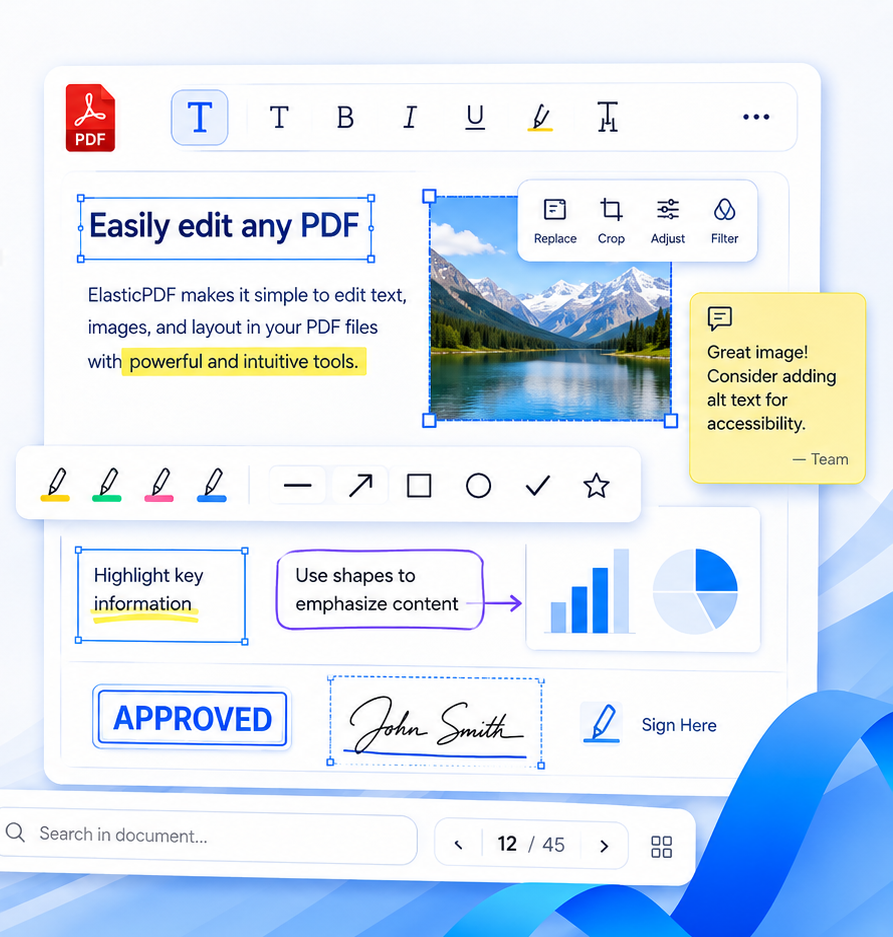
Powerful as Adobe Acrobat!
Focus on Private PDF Editing Solutions

Cross-Platform · Private Deployment · Deep Customization · Unlimited Usage

Img

PDF Text Editing Demo

Fully frontend text editing with no backend required

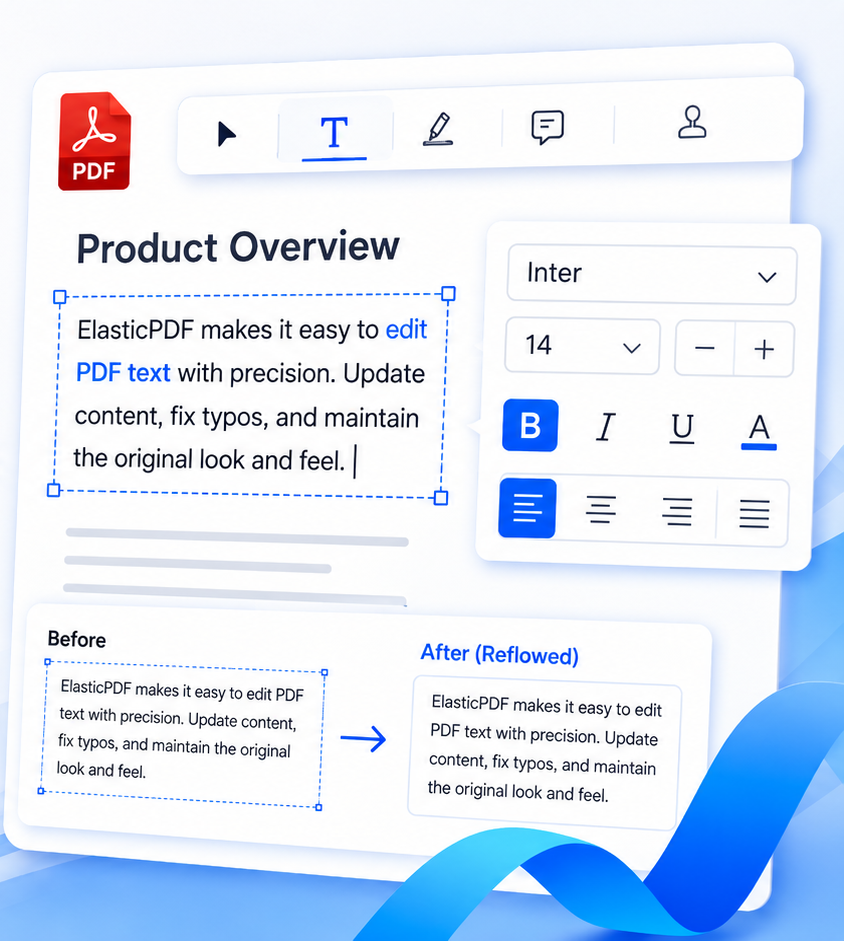
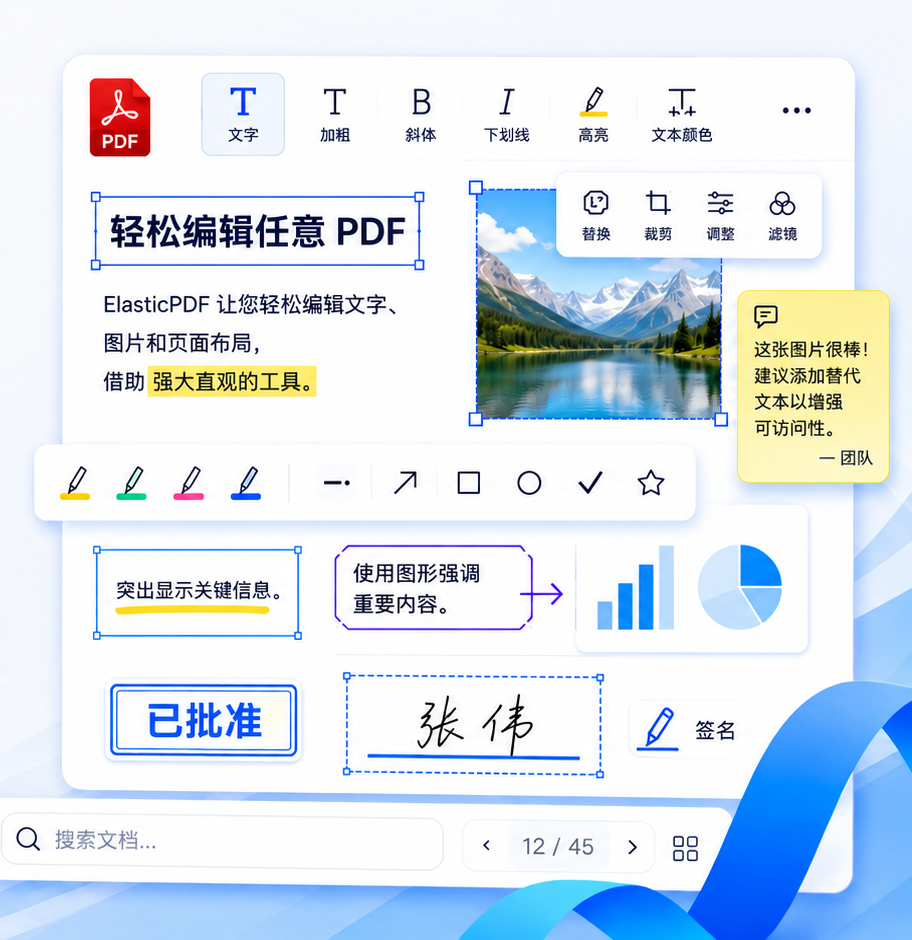
Edit PDF text just like editing a Word document. Delete, replace, or add text freely, with support for colored text, superscripts and subscripts, and full support for non-ASCII languages such as Chinese, Japanese, and Korean.

  • img

    Automatic text reflow: content is re-laid out automatically when resizing text boxes

  • img

    Edit rotated PDF text at any angle, including 90°, 180°, and 270°

img
Unique Product Highlights

Why Choose ElasticPDF?

img

Private · Secure · Reliable

Enterprise-level offline SDK delivery, no cloud services required

Supports private cloud, intranet, and offline deployment

Full control and independent technology, suitable for finance, healthcare, government, academia, and publishing

Unlimited seats, devices, and users

Reusable across multiple systems and business lines

Independent license and dedicated code package

Avoids vendor lock-in risks

Complies with strict regulatory and data security requirements

img

Cross-Platform · Easy to Use

Pure JavaScript PDF editing engine

One codebase fits all operating systems and development frameworks

Supports all major OS platforms, e.g., MacOS, iOS, Windows, Android, Linux

Other OS also fully supported, including Chinese domestic systems (Kylin, UnionTech UOS, etc.)

Supports all application development frameworks

Web frameworks: HTML, jQuery, Vue, React, Angular, Flutter, Uni-app, etc.

Desktop: Flutter, Electron, NW.js, Tauri, Proton Native, Neutralino.js, etc.

Mobile: Android (Java/Kotlin), iOS (Swift/Objective-C), etc.

img

Powerful Features · Fast Deployment

PDF text content editing

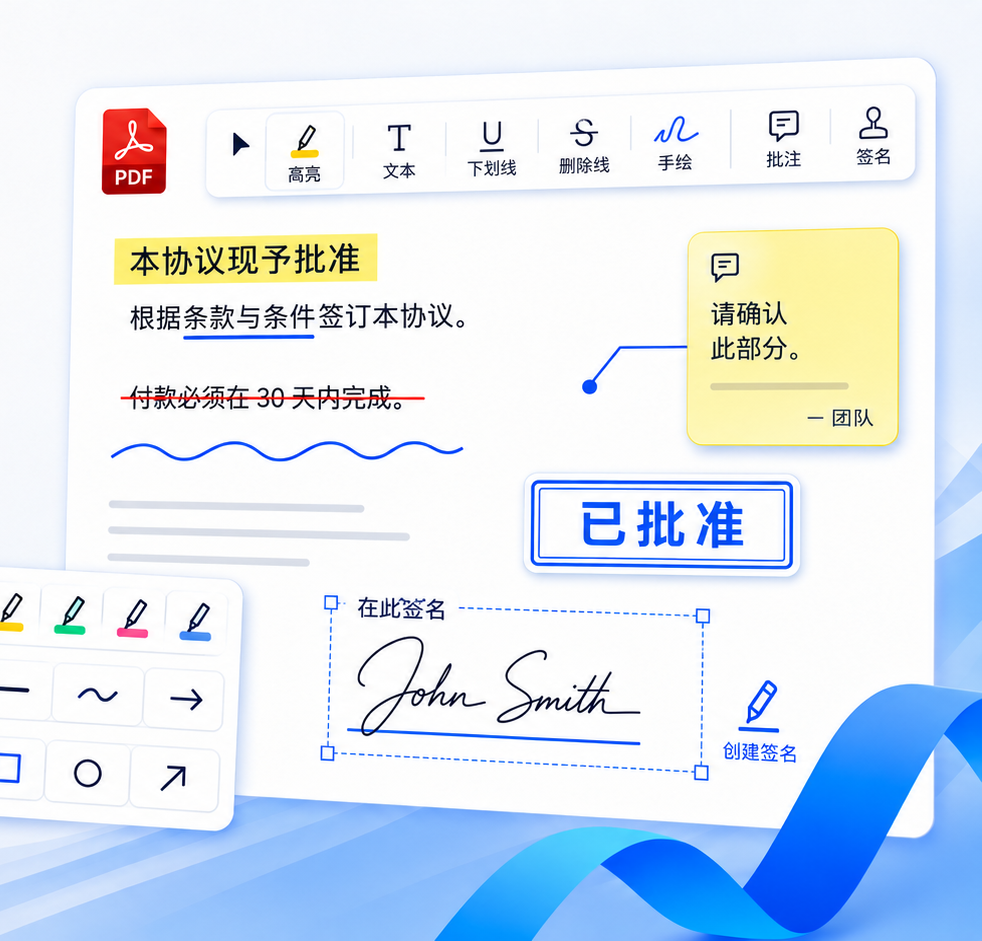
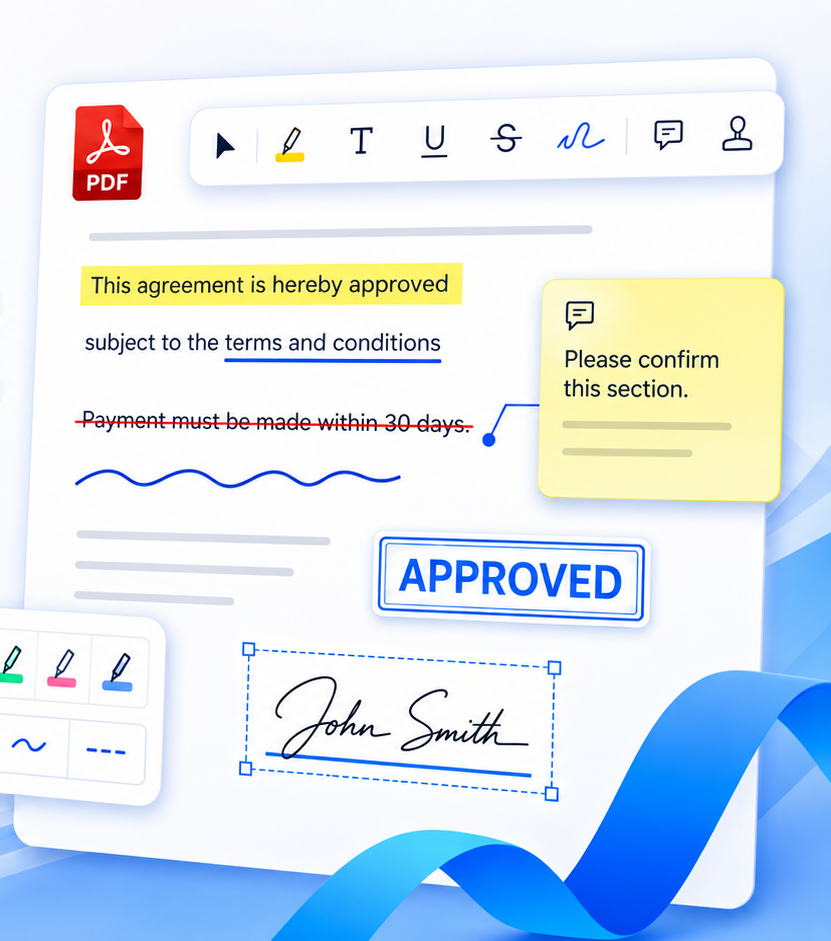
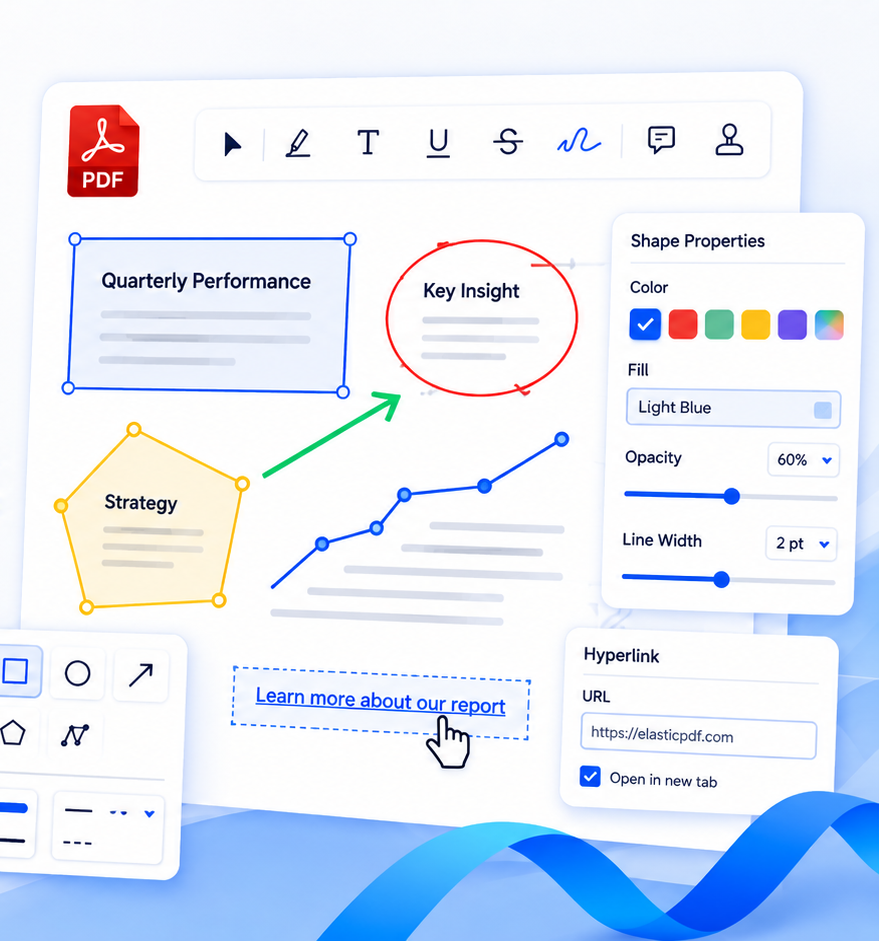
PDF annotation features: highlight, underline, strikethrough, pen, signature, polygon, etc.

Core features comparable to Adobe Acrobat, Foxit, WPS, PDFTron, etc.

Code package contains only JavaScript, HTML, and CSS

No development environment setup or backend support required

Deploy code package in project and complete setup within hours

Comprehensive documentation and professional technical support

Suitable as core editing capability for enterprise document systems and OA systems

Can serve as the core editing engine for archive systems

img
Chat with CTO

Welcome to contact us

Avatar

Chaoxu Wei

PDF Editor Engine Architect · Head of Business
Alma Mater
Education
Bachelor's & Master's Degree, Tongji University
Company
Hubei Xulian Technology Co., Ltd.
Position
Chief Technology Officer (CTO)
Technical Focus
PDF Core Engine · Document Editing Engine · Web / Native Rendering · Document Layout Systems
Experience
10+ years of software development experience
Service Scope
Enterprise SDK · Private Deployment · Architecture Consulting · Technical Integration · Business Collaboration
Phone
+86 18385537403 (WeChat available)
Email
elasticpdf@gmail.com
WhatsApp
+86 18385537403
Working Hours

Monday – Friday: 09:00 – 17:00 (Beijing Time, UTC+8)

Monday – Friday: 09:00 – 17:00 (European Time, UTC+1 / UTC+2)
Img
Img
How It Works

Features Demostration

Cutting-edge, user-friendly pdf editor library

01

1-Highlight

Whether on desktop, pad or mobile, text can be precisely selected, supporting cross-page highlighting. After highlighting, the annotation can be modified for color and other attributes, achieving a perfect highlighting function on the web.

  • img

    Percise text selecting

  • img

    Cross-page support

Img
Img
02

2-Underline

Similar to the highlight feature, it enables precise text selection on multiple devices. Once the annotation is created, the color and line width of the underline can be modified.

  • img

    Percise text selecting

  • img

    Cross-page support

03

3-Strikeout

Users are able to select the text to be marked with a mouse or touch, and then add strikethrough to the text. It supports cross-page when selecting text.

  • img

    Percise text selecting

  • img

    Cross-page support

Img
Img
04

4-Reorder Pages

Features include moving pages up, down, pinning to the top and bottom, inserting new blank pages before and after current page, deleting pages

  • img

    Visually edit page order

  • img

    Quick response

05

5-Signature

Signature feature supports handwritten signatures, type signatures, and uploading signature files

  • img

    Flexible styles

  • img

    Multiple signature methods

Img
Img
06

6-Brush

The brush size, color, and opacity can be adjusted, allowing for drawing on the document freely. Lower opacity settings can be used to highlight scanned text.

  • img

    Auto merge paths

  • img

    Flexible path styles

07

7-Screen Shot

After drawing a rectangle, a screenshot of the current document can be captured. The position of the rectangle can be adjusted for further screenshots.

  • img

    High-resolution page screenshots

  • img

    Repeated screenshots

Img
Img
08

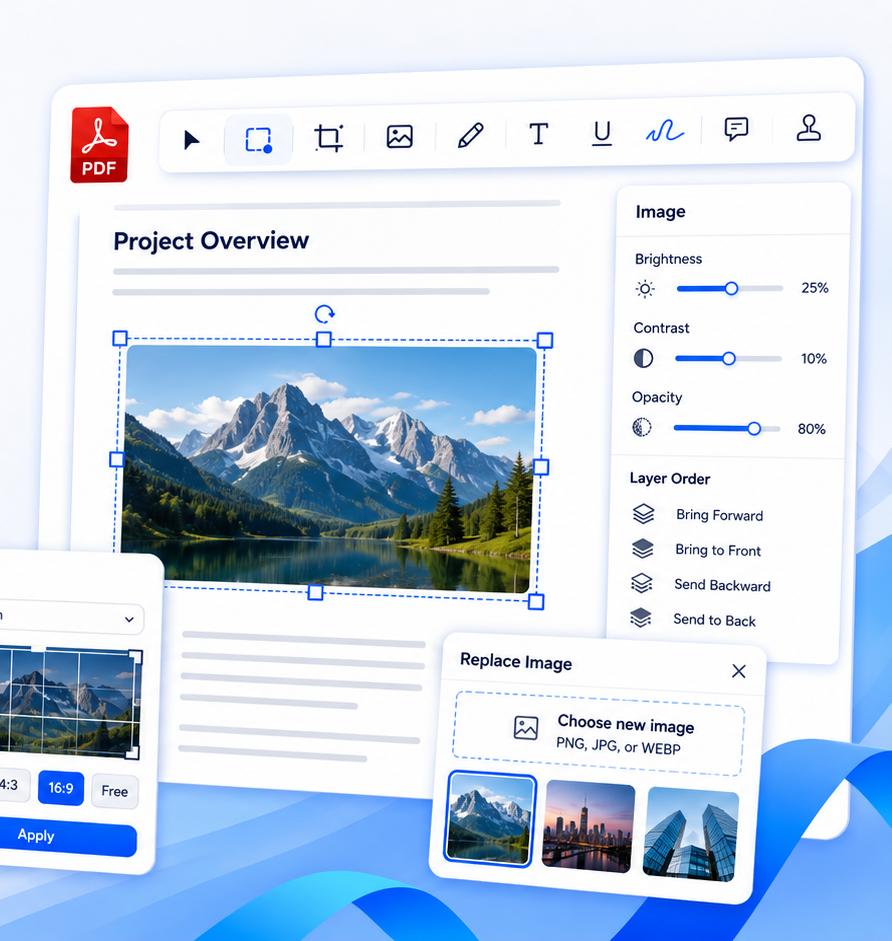
8-Insert Image

Images can be inserted by selecting files or dragging in. Afterward, the size, position, orientation, and opacity of the image can be smoothly modified.

  • img

    Insert in any position

  • img

    Various editing options

09

9-Add Text

Text annotations can be created by inserting or dragging, supporting all languages. Once created, the text shape, font size, and other attributes can be modified.

  • img

    All languages and characters

  • img

    Rich font styles

Img
Img
10

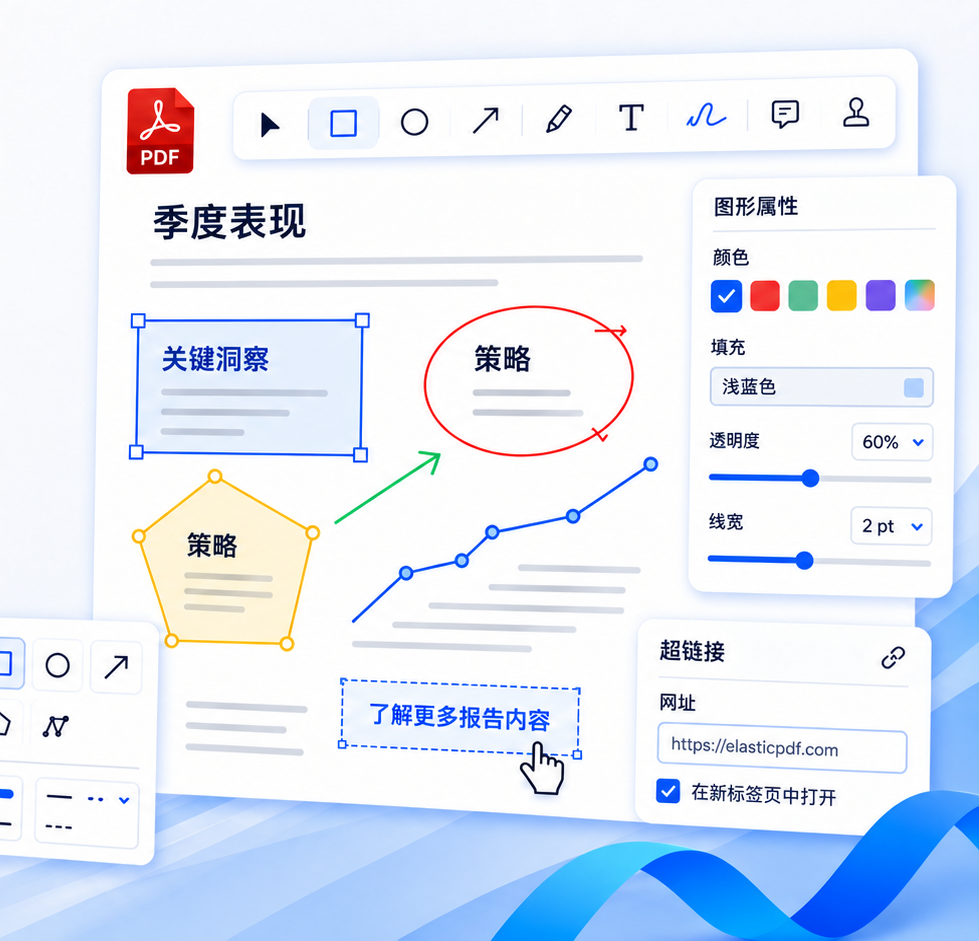
10-Polygon

Supports the creation of arrows, lines, rectangles, circles (ellipses), checkmarks, and identity stamps. The generated annotation can be modified in terms of color, size, position, and orientation.

  • img

    Various shapes

  • img

    Flexible style

11

11-Hyperlink

By drawing a rectangle or selecting text, a hyperlink object can be created, linking to a URL, page number, online document, and more.

  • img

    Easily create

  • img

    Multiple link methods

Img
Img
12

12-Eraser

A powerful eraser function allows partial erasure of annotation objects, with visible erasure traces. Erased text remains editable.

  • img

    Visual erase path

  • img

    Editable after erasing

13

13-Undo & Redo Annotations

Annotations, including creation, modifications, various edits, and deletions, can be undone or redone within 10 steps.

  • img

    Customize history steps

  • img

    Accuratly reload

Img
Img
14

14-Output & Import JSON Annotations

Supports exporting annotated documents as JSON files, which can later be reloaded for perfect re-display, making it an ideal solution for multi-device synchronization.

  • img

    Precisely save and reload

  • img

    Save storage and bandwidth costs

15

15-Connect Line and Multi-language

Connects annotations in the right-side list to graphic objects on the page, with separate control for each page. All tips support both Chinese and English.

  • img

    Accurate and intuitive connections

  • img

    Supports other languages

Img
FAQ

We’ve got you covered

Our library can be quickly and perfectly integrated into any project environment that can run Javascript, HTML, CSS, including but not only Vue, React, jQuery, Angular, Android, JavaScript, TypeScript, Nuxt.js, Svelte, Vite, Electron, ASP.NET, Blazor, PHP, Laravel, PWA, Flutter.

Annotation data can be written into PDF. For cloud synchronization, annotations can be exported as a JSON file, transfer and save it on the server, and then reload to continue editing. This method only requires one original PDF file and only transfers a small amount of annotations, which can save a lot of storage and broadband costs.

Yes, please contact us. We will provide a 7-14 days trial version that can be embedded into your app to see the layout and features effects.

Because we use advanced data management methods, annotations and PDFs can be saved separately. A 50 MB or bigger pdf file can be viewed and edited well in our library. And you can try your file from your local computer on our demo page.

Our solution supports various basic annotations such as highlight, underline, signature, brush, text box, etc., and supports rearranging pages. You can also name custom features requirements, welcome to contact us.

Including long time debugging to ensure our library in your application works like our demo site. We will also provide detailed modification guidance for your customized needs, such as which line of code should be modified.

We will sign a cooperation contract with your company as needed, and payment can be made through Paypal and bank transfer.

Yes, the buttons and styles of the comments are simple HTML and CSS, which can be easily modified. We will provide detailed modification instructions, such as which line of code should be modified.

Yes, we can provide various forms of technical support, including message, call and video meeting.

Yes, we can help with translations as long as the corresponding translation is provided.

We are always paying attention to the updates of pdf.js, most of its updates are in some annotation functions, but we rewrote the annotations by ourselves, so there were no updates for us actually.

In addition, the version we are currently using is new enough and stable enough, and it has better performance on many old version browsers than the latest versions, our clients need so for their products.

Of course, if you find any rendering problems later during use and updating to the official version can solve them, we will be happy to update it for you free of charge.

Ready to get started?

Having access to a team of pdf processing experts providing
powerful solution for you in 1-click.

Request License

强大如 Adobe Acrobat!
专注于私有化 PDF 编辑解决方案

跨平台方案 · 私有化部署 · 企业级稳定性 · 可深度定制 · 不限坐席用户数

Img

PDF文字编辑功能演示

纯前端实现文字编辑,无需后端支持

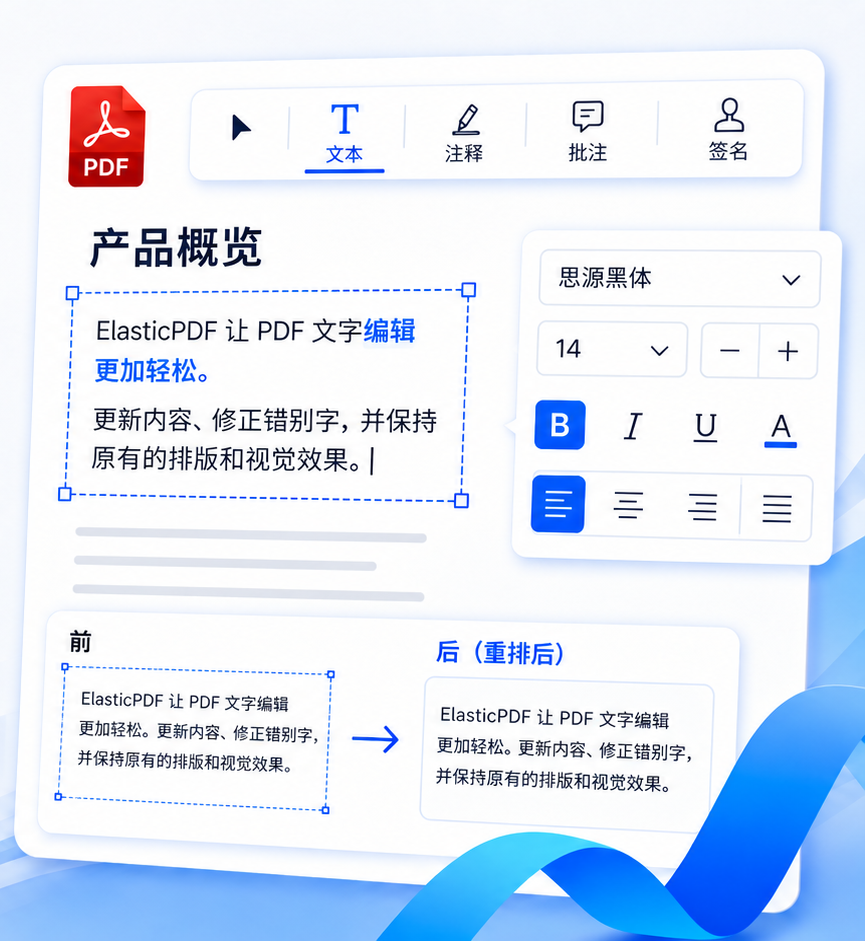
像编辑 Word 一样编辑 PDF 中的文字,任意删除、替换、新增文字,支持彩色文字、上下标等特殊文本,完整支持 中文、日文、韩文等非 ASCII 文字

  • img

    文本自适,调整文本框大小后自动重新排版文字内容

  • img

    编辑旋转任意角度的PDF文字,包括 90°,180°,270°等

img
独特的产品亮点

为什么要选择ElasticPDF?

img

私有部署 · 安全可靠

企业级离线 SDK 交付,无需任何云服务

支持私有云、内网及离线环境部署

永久可控技术自主,满足金融、医疗、政府、学术、出版社等场景

不限坐席、不限设备、不限用户数

支持多系统多业务线复用

独立授权与专属代码包

避免云厂商锁定风险

满足高合规与数据安全要求

img

跨平台方案 · 简单易用

纯 JavaScript PDF 编辑引擎

一套代码适配所有操作系统、开发框架

跨平台支持所有操作系统,如 MacOS, iOS, Windows, Android, Linux 等

其他未列出操作系统也完全可用,如中国国产操作系统(麒麟、统信 UOS 等)

跨平台支持所有应用开发框架

Web 框架:HTML, jQuery, Vue, React, Angular, Flutter, Uni-app 等

桌面端:Flutter, Electron, NW.js, Tauri, Proton Native, Neutralino.js 等

移动端:Android (Java/Kotlin), iOS (Swift/Objective-C) 等

img

强大功能 · 快速部署

PDF 文字内容编辑功能

PDF 批注功能,如高亮、下划线、删除线、画笔、签名、多边形等

核心功能对标 Adobe Acrobat, 福昕Foxit, WPS, PDFTron 等方案

代码包仅含 JavaScript, HTML 及 CSS

无需配置开发环境,无需后端程序支持

项目导入代码包文件,小时内即可完成部署

拥有完善的文档指引,专业的技术支持

适合作为企业文档系统、OA 系统

可做档案系统的核心编辑能力

img
与CTO直谈

欢迎联系我们

Avatar

韦朝旭(韦工)

PDF编辑器引擎架构师 · 首席技术官CTO · 商业负责人
毕业院校
学历
同济大学本科 · 硕士
公司
湖北旭联科技有限公司
职位
首席技术官 (CTO)
技术方向
PDF 内核 · 文档编辑引擎 · Web / Native 渲染 · 文档排版系统
工作经验
10+ 年软件研发经验
支持范围
企业级 SDK · 私有化部署 · 架构咨询 · 技术对接 · 商务对接
联系电话
18385537403 (微信同号)
邮箱
elasticpdf@gmail.com
WhatsAPP
+86 18385537403
工作时间

周一 - 周五: 09:00 - 17:00 (北京时间 UTC+8)

周一 - 周五: 09:00 - 17:00 (欧洲时间 UTC+1/UTC+2)

Img
How It Works

批注功能演示

尖端、用户友好的 PDF 编辑工具库

01

1-文本高亮

无论是桌面端、平板端或者手机都可以精确选择文本,支持跨页高亮,高亮后内容可以修改颜色等属性,在 Web 端实现了完美的高亮标记功能

  • img

    精确的文本选择

  • img

    支持跨页操作

Img
Img
02

2-文本下划线

与高亮功能类似,实现了多种设备文本的精确选择,批注生成后可以修改批注颜色、线条粗细等

  • img

    精确的文本选择

  • img

    支持跨页操作

03

3-删除线

支持通过鼠标或者触屏来选择要标记的文本,之后为这些文本添加删除线,选择文本时支持跨页操作

  • img

    精确的文本选择

  • img

    支持跨页操作

Img
Img
04

4-页面重排编辑

功能包括页面上移、下移、置顶、置底、新增空白页插入于前后、删除页面等

  • img

    可视化编辑页面顺序

  • img

    快捷高效

05

5-签名

支持用户手写签名、输入签名(可切换颜色,字体)和上传用户的签名文件

  • img

    多种签名方式

  • img

    灵活调整样式

Img
Img
06

6-自由绘制

可以随意调整笔刷的大小、颜色和不透明度,然后在文档上自由的绘制,在设置不透明度较小时还可以用来高亮扫描件文本

  • img

    多笔画自动合并

  • img

    灵活线条样式

07

7-屏幕截图

绘制矩形框后可截取当前文档的部分内容,并可以修改矩形框位置后再次截图

  • img

    高清页面截图

  • img

    多次重复截取

Img
Img
08

8-插入图片

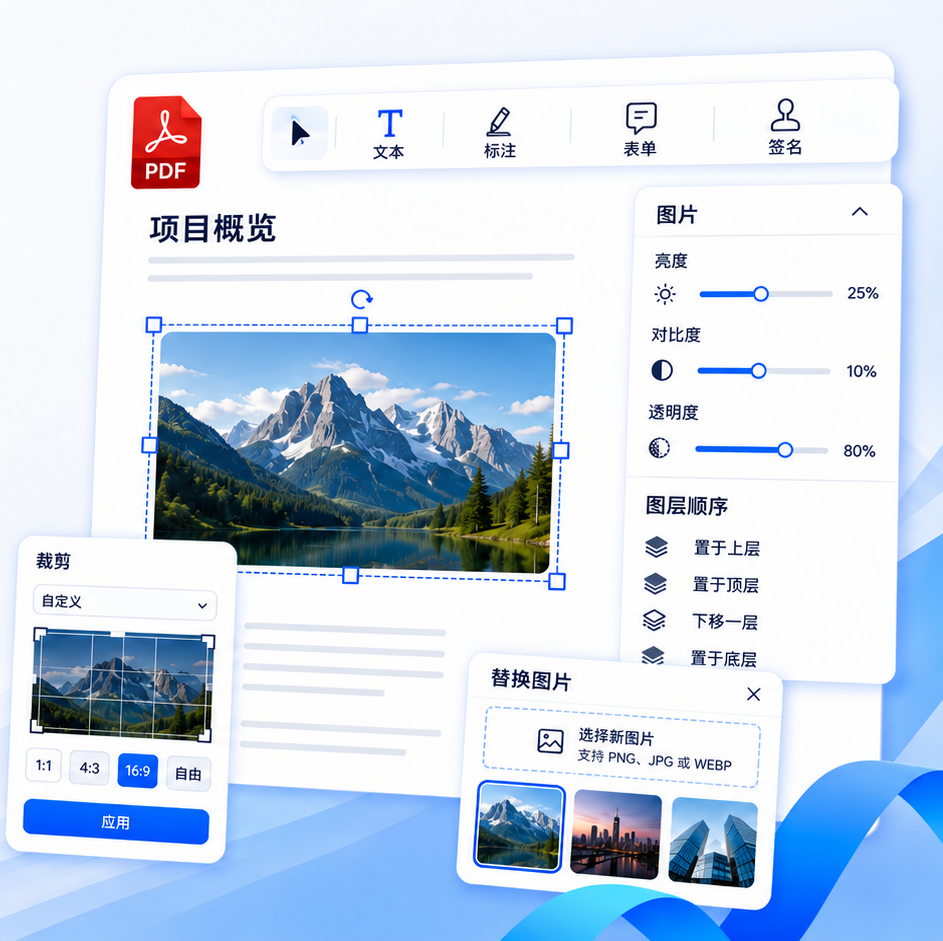
支持以选取文件或者拖入的方式来插入图片,之后可以对图片的大小、位置、方位、不透明度等实现流畅的修改

  • img

    任意位置插图

  • img

    多种编辑选项

09

9-添加文本

可以以插入和拖入的方式来创建文本批注,支持所有语言和多种字体,创建后可以拖动的方式修改字体形状、字体大小等

  • img

    支持所有语言文字

  • img

    丰富字体样式

Img
Img
10

10-多边形

支持创建箭头、直线、矩形、圆形(椭圆)、对勾和身份印章等多边形,生成后的批注支持颜色、大小、位置方位等的修改

  • img

    多种实用形状

  • img

    灵活的样式编辑

11

11-超链接

通过绘制矩形框或者选取文字后创建超链接对象,之后可以链接到 URL、页码、在线文档等

  • img

    轻松创建

  • img

    多种链接方式

Img
Img
12

12-橡皮擦

超强橡皮擦功能,可以局部擦除批注对象,擦除过程中轨迹可见,且擦除后的文本仍然可编辑

  • img

    可视化擦除路径

  • img

    擦除后仍可编辑

13

13-撤销 & 重做 批注

可以在 10 步以内撤销或者重做批注,包括批注的生成、修改等各类编辑以及删除等操作

  • img

    自定义历史记录步数

  • img

    精确还原

Img
Img
14

14-导出 & 导入 JSON 批注

支持将批注文档导出为 JSON 文件,之后再次加载 JSON 文件实现完美的回显,是多端同步的最佳方案

  • img

    精确保存和重现批注

  • img

    节约存储和带宽费用

15

15-批注连接线 & 双语

将右侧列表中的批注与页面的图形对象相连,每一页都单独控制;所有页面操作都支持中英文双语

  • img

    连线直观精准

  • img

    支持拓展其他语言

Img
FAQ

很高兴能帮到你

我们的产品可以快速完美集成到任何可以运行Javascript, HTML, CSS 的项目环境中,例如 Vue, React, jQuery, Angular, Android, JavaScript, TypeScript, Nuxt.js, Svelte, Vite, Electron, ASP.NET, Blazor, PHP, Laravel, PWA, Flutter.

批注数据可以写入到PDF中。针对云端同步的场景,可以单独将批注文件导出为JSON文件,传输并保存于服务器,之后加载回显后可继续编辑批注。 这样的方式仅需一个PDF原文件,只传输很小体积的批注,可以节约很多的存储和宽带费用。

有的,欢迎联系我们,我们会提供7-14天的试用版本, 可以嵌入到你们的应用中查看布局和功能效果。

因为我们使用先进的数据管理方法,注释和 PDF 可以分开保存,所以50 MB 或 更大的 PDF 文件可以在我们的库中很好地浏览和编辑。您可以在我们的演示页面上从本地计算机试用您的文件。

我们的方案支持高亮、下划线、签名、画笔、文本框等各种基础批注,并且支持修改编辑页面顺序等。同时支持各种自定义功能的开发,欢迎咨询。

包括长时间的调试以确保您的应用程序中的库像我们的演示站点一样工作。 针对定制化需求,我们会提供详细的修改指导,例如应该修改哪一行代码。

我司会与贵司签订合作合同,付款通过双方对公账户完成。

是的,批注的按钮和样式都是简单的HTML和CSS,可以很方便的修改,我们会提供详细的修改指导,例如应该修改哪一行代码。

是的,我们可以提供各种形式的技术支持,包括信息、通话和视频会议等。

是的,只要提供了对应的翻译,我们可以帮助翻译。

我们一直在关注pdf.js的更新,它的更新大多是在一些注释函数上,但是我们自己重写了注释,所以对我们来说其实没有更新。

另外,我们现在使用的版本足够新,足够稳定,在很多老版本浏览器上的表现都比最新版本要好,我们的客户的产品需要这样。

当然,如果您在使用过程中发现任何渲染问题,更新到正式版可以解决,我们很乐意免费为您更新。

准备好开始了?

仅需一次点击
就可以让PDF处理的专家团队为您提供解决方案

获取许可